Tailscale Peer Relay 是一种由用户自行控制的私有中继节点,用于替代官方 DERP 中继,将 Tailnet 内部的加密流量通过指定的节点转发,从而减少绕行、降低延迟并提升稳定性。
Peer Relay是什么 Peer Relay 是 Tailscale 在 1.86 版本引入的功能,允许将 Tailnet 内的一个节点配置为中继服务器。当两台设备无法直连时,流量可以通过这个私有中继节点转发,而不是走公共 DERP。
Tailscale 在建立连接时会按以下优先级尝试:
Direct:两台设备通过 NAT 穿透直接建立 WireGuard 隧道,延迟最低、速度最快
Peer Relay:直连失败时,通过你指定的 Tailnet 内节点中继,流量不出你的网络
DERP:前两者都失败时,回退到 Tailscale 官方 DERP 服务器
以下是用阿里云轻量应用服务器作为peer relay的操作过程。
安装tailscale curl -fsSL https://tailscale.com/install.sh | sh
1
2
3
4
5
6
7
8
9
10
11
12
13
14
15
16
17
18
19
20
21
22
23
24
25
26
27
28
29
30
31
32
33
34
35
36
37
38
39
40
41
42
43
44
45
46
47
48
49
50
51
52
53
54
55
56
57
58
59
60
61
62
63
64
[root@iZm5e8r83kxtb3uh0dh3ssZ ~]# curl -fsSL https://tailscale.com/install.sh | sh Installing Tailscale for fedora, using method dnf + '[' 3 = 3 ']' + dnf install -y 'dnf-command(config-manager)' alinux3-powertools 8.6 kB/s | 3.0 kB 00:00 Docker CE Stable - x86_64 13 kB/s | 3.5 kB 00:00 Package dnf-plugins-core-4.0.21-25.1.al8.noarch is already installed. Dependencies resolved. Nothing to do . Complete! + dnf config-manager --add-repo https://pkgs.tailscale.com/stable/fedora//tailscale.repo Adding repo from: https://pkgs.tailscale.com/stable/fedora//tailscale.repo + '[' -n '' ']' + dnf install -y tailscale Tailscale stable 647 B/s | 832 B 00:01 Tailscale stable 422 B/s | 3.1 kB 00:07 Importing GPG key 0x957F5868: Userid : "Tailscale Inc. (Package repository signing key) <info@tailscale.com>" Fingerprint: 2596 A99E AAB3 3821 893C 0A79 458C A832 957F 5868 From : https://pkgs.tailscale.com/stable/fedora/repo.gpg Tailscale stable 13 kB/s | 20 kB 00:01 Dependencies resolved. ======================================================================================================================================= Package Architecture Version Repository Size ======================================================================================================================================= Installing: tailscale x86_64 1.98.3-1 tailscale-stable 36 M Transaction Summary ======================================================================================================================================= Install 1 Package Total download size: 36 M Installed size: 70 M Downloading Packages: tailscale_1.98.3_x86_64.rpm 20 MB/s | 36 MB 00:01 --------------------------------------------------------------------------------------------------------------------------------------- Total 20 MB/s | 36 MB 00:01 Tailscale stable 6.5 kB/s | 3.1 kB 00:00 Importing GPG key 0x957F5868: Userid : "Tailscale Inc. (Package repository signing key) <info@tailscale.com>" Fingerprint: 2596 A99E AAB3 3821 893C 0A79 458C A832 957F 5868 From : https://pkgs.tailscale.com/stable/fedora/repo.gpg Key imported successfully Running transaction check Transaction check succeeded. Running transaction test Transaction test succeeded. Running transaction Preparing : 1/1 Installing : tailscale-1.98.3-1.x86_64 1/1 Running scriptlet: tailscale-1.98.3-1.x86_64 1/1 Verifying : tailscale-1.98.3-1.x86_64 1/1 Installed: tailscale-1.98.3-1.x86_64 Complete! + systemctl enable --now tailscaled Created symlink /etc/systemd/system/multi-user.target.wants/tailscaled.service → /usr/lib/systemd/system/tailscaled.service. + set +x Installation complete! Log in to start using Tailscale by running: tailscale up
阿里云的操作系统被认成fedora,使用dnf install tailscale。
加入tailnet tailscale up --accept-routes
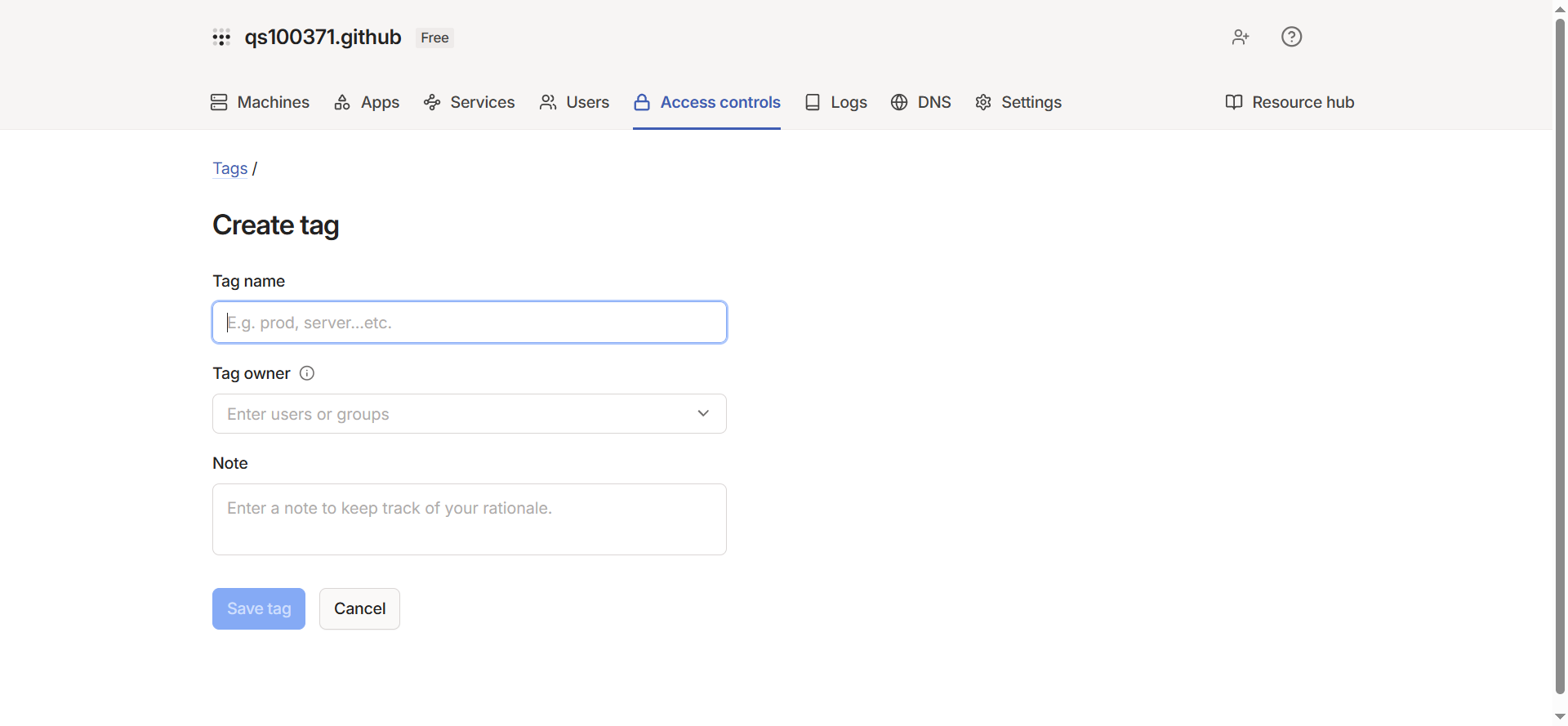
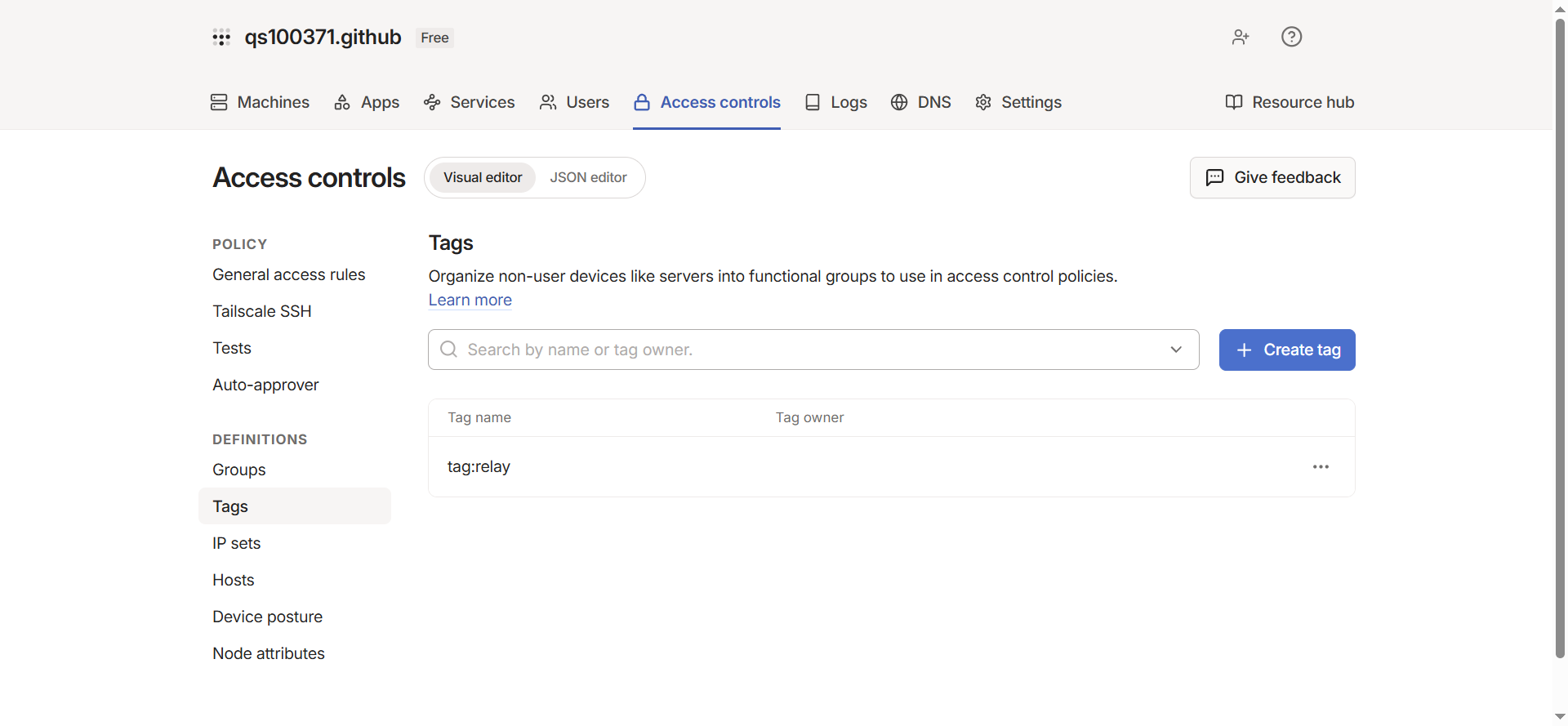
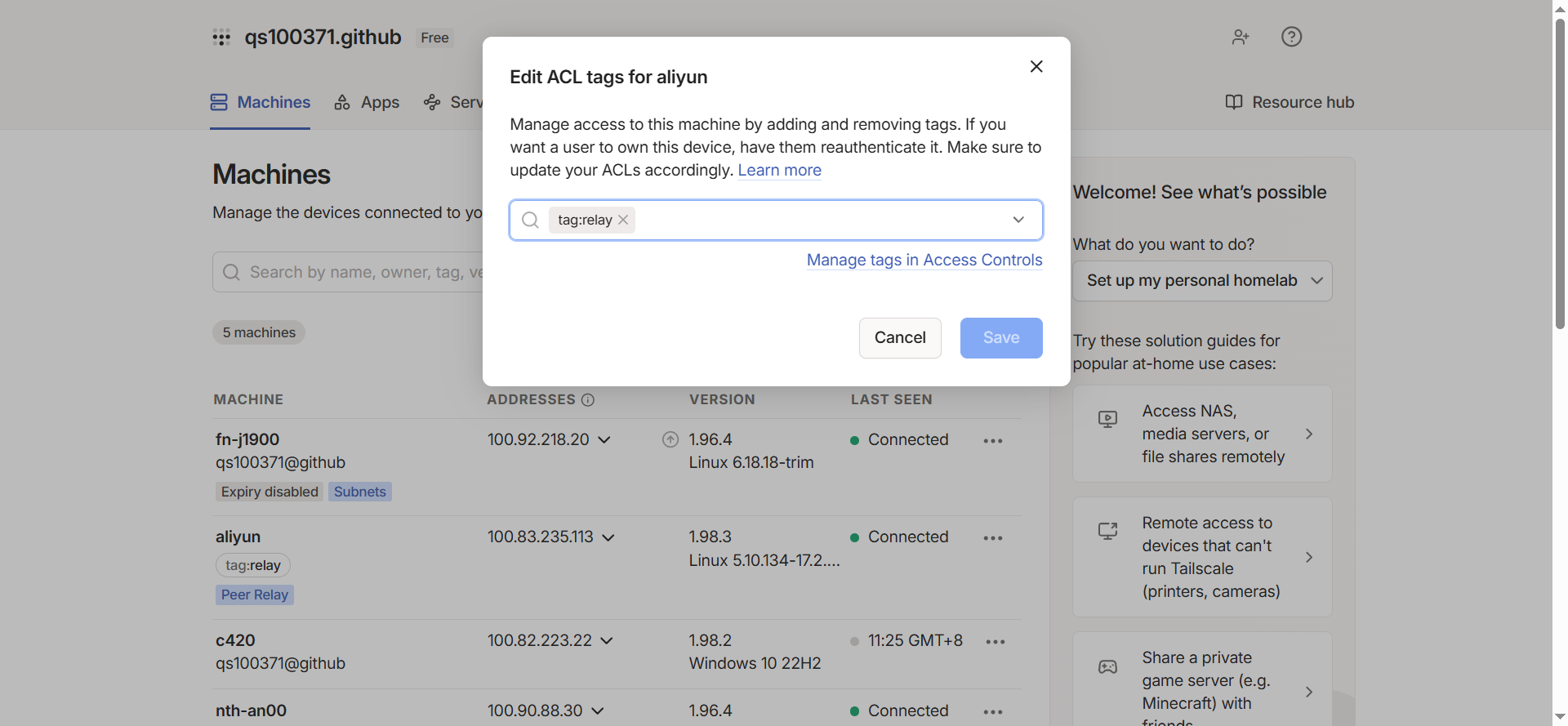
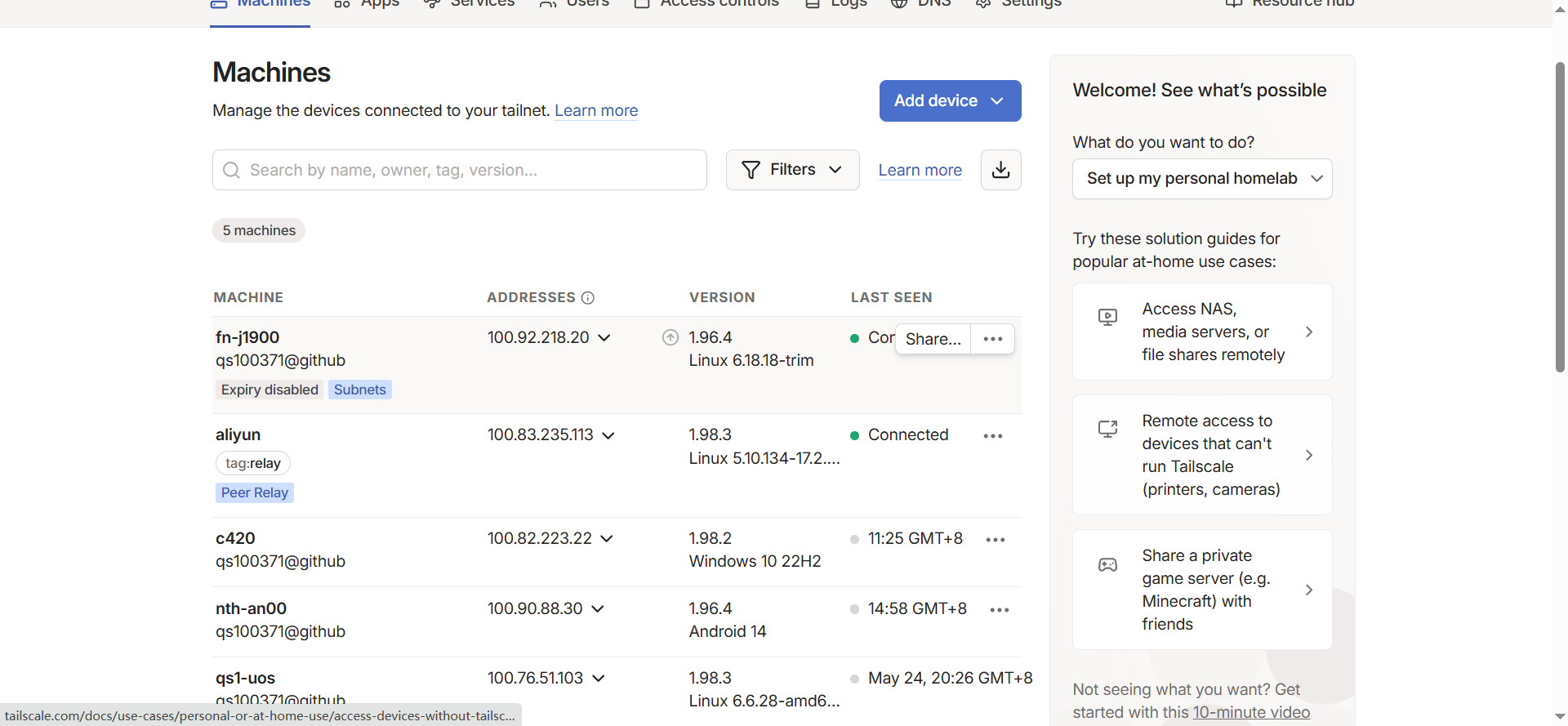
给节点打上relay标签 从浏览器进入 https://login.tailscale.com/admin/machines https://login.tailscale.com/admin/acls/visual/tags
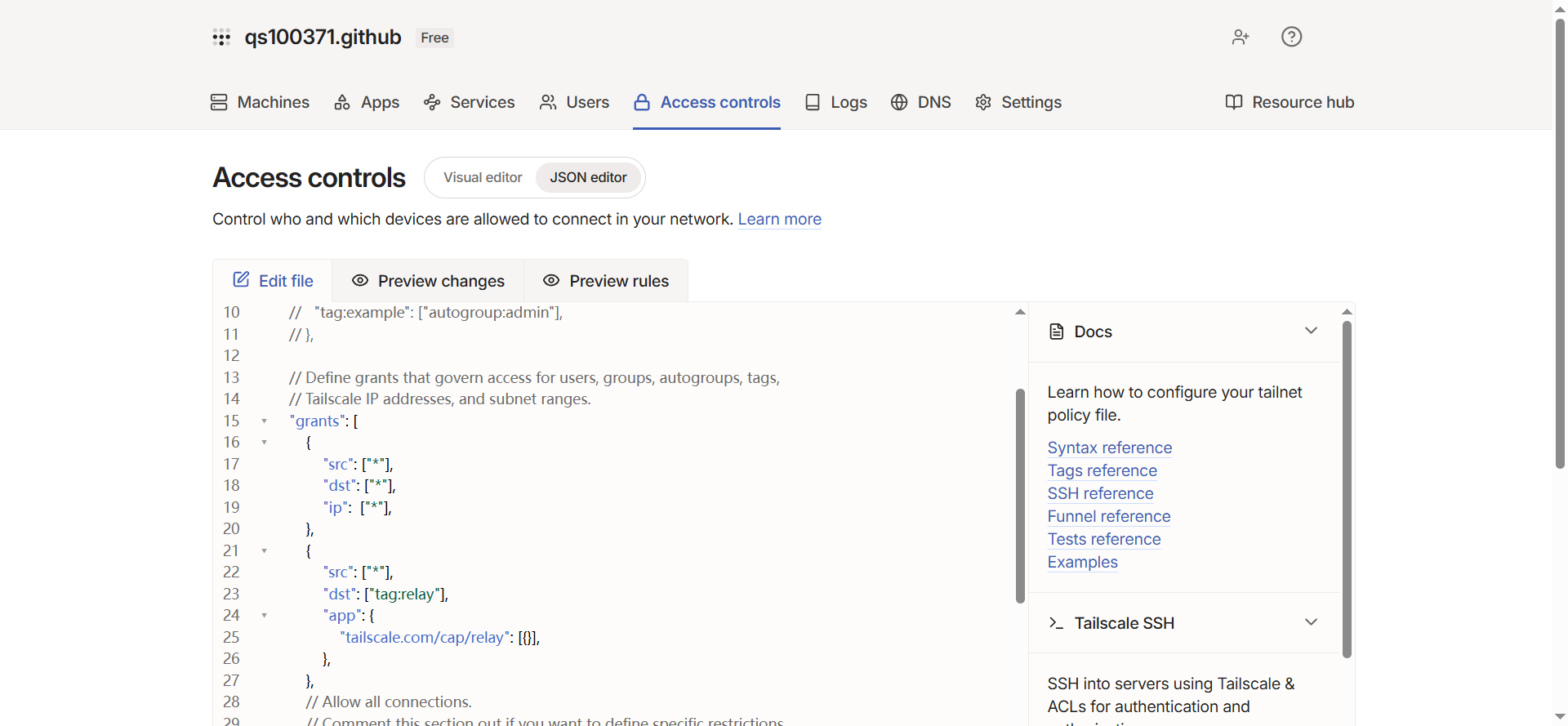
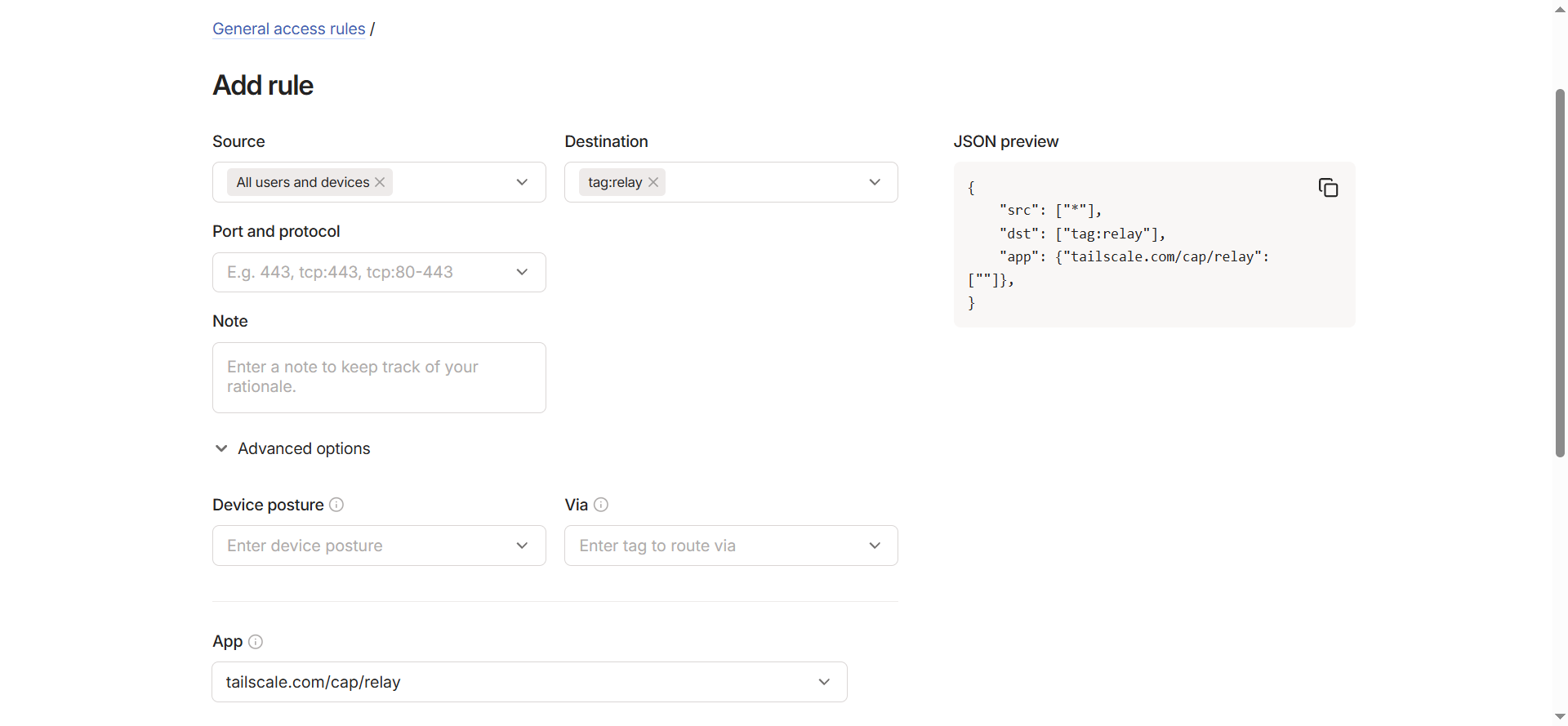
配置访问控制 打开Access Controls,点击json editor,在grants中添加:
1
2
3
4
5
6
7
{ "src": ["*" ], "dst": ["tag:relay" ], "app": { "tailscale.com/cap/relay": [{}], }, },
点最下方的save保存。
注意不要删除grants中原来的字段。此处走了弯路,把原来的src,dst,ip这一节删掉了,结果peer relay是能用了,但各节点不能直接互相访问。
也可以直接在visual editor中操作,点+add rule:
启用中继节点 在阿里云服务器上执行:
1 tailscale set --relay-server-port 44400
在防火墙规则中放行udp 44400端口。
验证中继是否生效 在不能直连的设备上执行:tailscale ping 目标节点tailscale netcheck可以看到设备的网络状况。
1
2
3
4
5
6
7
8
9
10
11
12
13
14
15
16
17
18
19
20
21
22
23
24
25
26
27
28
29
30
31
32
33
34
35
36
37
38
39
40
41
tailscale netcheck 2026/05/28 09:32:58 portmap: monitor: gateway and self IP changed: gw=192.168.9.1 self=192.168.9.101 Report: * Time: 2026-05-28T01:33:03.8530602Z * UDP: true * IPv4: yes , 211.81.255.4:62302 * IPv6: no, but OS has support * MappingVariesByDestIP: true * PortMapping: * CaptivePortal: false * Nearest DERP: Hong Kong * DERP latency: - hkg: 43.8ms (Hong Kong) - tok: 99.1ms (Tokyo) - sfo: 178.2ms (San Francisco) - den: 191.3ms (Denver) - lax: 192.5ms (Los Angeles) - blr: 202.1ms (Bengaluru) - sea: 217.4ms (Seattle) - hnl: 218.9ms (Honolulu) - lhr: 220.2ms (London) - iad: 221.2ms (Ashburn) - fra: 227.8ms (Frankfurt) - ord: 230.8ms (Chicago) - tor: 232.4ms (Toronto) - mia: 234.8ms (Miami) - dbi: 235.1ms (Dubai) - ams: 241.8ms (Amsterdam) - nyc: 245.1ms (New York City) - waw: 253.6ms (Warsaw) - hel: 255.3ms (Helsinki) - par: 272.2ms (Paris) - dfw: 275.3ms (Dallas) - syd: 276.6ms (Sydney) - nue: 282ms (Nuremberg) - mad: 282.8ms (Madrid) - nai: 339.7ms (Nairobi) - sin: 362.3ms (Singapore) - jnb: 384.7ms (Johannesburg) - sao: 453.6ms (São Paulo)
这里面列出了官方的DERP服务器和延迟。