1
2
3
4
5
6
7
8
9
10
11
12
13
14
15
16
17
18
19
20
21
22
23
24
25
26
27
28
29
30
31
32
33
34
35
36
37
38
39
40
41
42
43
44
45
46
47
48
49
50
51
52
53
54
55
56
57
58
59
60
61
62
63
64
65
66
67
68
69
70
71
72
73
74
75
76
77
78
79
80
81
82
83
84
85
86
87
88
89
90
91
92
93
94
95
96
97
98
99
100
101
102
103
104
105
106
107
108
109
110
111
112
113
114
115
116
117
118
119
120
121
122
123
124
125
126
127
128
129
130
131
132
133
134
135
136
137
138
139
140
141
142
143
144
145
146
147
148
149
150
151
152
153
154
155
156
157
158
159
160
161
162
163
164
165
166
167
168
169
170
171
172
173
174
175
176
177
178
179
180
181
182
183
184
185
186
187
188
189
190
191
192
193
194
195
196
197
198
199
200
201
202
203
204
205
206
207
208
209
210
211
212
213
214
215
216
217
218
219
220
221
222
223
224
225
226
227
228
229
230
231
232
233
234
235
236
237
238
239
240
241
242
243
244
245
246
247
248
249
250
251
252
253
254
255
256
257
258
259
260
261
262
263
264
265
266
267
268
269
270
271
272
273
274
275
276
277
278
279
280
281
282
283
284
285
286
287
288
289
290
291
292
293
294
295
296
297
298
299
300
301
302
303
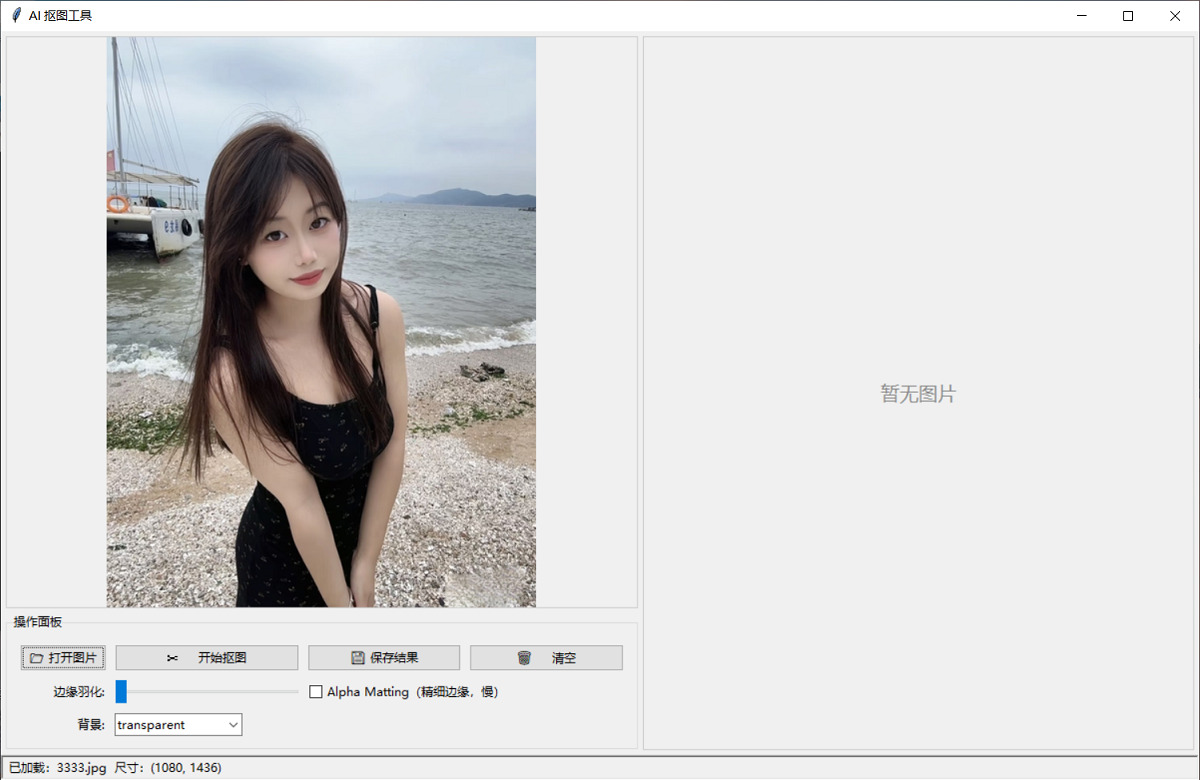
| import tkinter as tk
from tkinter import ttk, filedialog, messagebox
from PIL import Image, ImageTk, ImageFilter
import threading
import time
import os
try:
from rembg import remove, new_session
except ImportError:
messagebox.showerror("缺少依赖", "请先安装 rembg:\npip install rembg[cpu]")
raise
DEFAULT_MODEL = "u2net"
MAX_SIDE = 1024
class BackgroundRemoverApp:
def __init__(self, root):
self.root = root
self.root.title("AI 抠图工具")
self.root.geometry("1200x750")
self.root.minsize(900, 600)
self.original_image = None
self.result_image = None
self.result_image_with_bg = None
self.original_photo = None
self.result_photo = None
self.session = None
self._build_ui()
def _build_ui(self):
main_pane = ttk.PanedWindow(self.root, orient=tk.HORIZONTAL)
main_pane.pack(fill=tk.BOTH, expand=True, padx=5, pady=5)
left_frame = ttk.Frame(main_pane)
main_pane.add(left_frame, weight=1)
self.left_canvas = tk.Canvas(left_frame, bg="#f0f0f0",
highlightthickness=1, highlightbackground="#cccccc")
self.left_canvas.pack(fill=tk.BOTH, expand=True)
control_frame = ttk.LabelFrame(left_frame, text="操作面板", padding=8)
control_frame.pack(fill=tk.X, pady=(5, 0))
ttk.Button(control_frame, text="📂 打开图片",
command=self.open_image).grid(row=0, column=0, padx=4, pady=4, sticky="ew")
ttk.Button(control_frame, text="✂️ 开始抠图",
command=self.start_remove_bg).grid(row=0, column=1, padx=4, pady=4, sticky="ew")
ttk.Button(control_frame, text="💾 保存结果",
command=self.save_result).grid(row=0, column=2, padx=4, pady=4, sticky="ew")
ttk.Button(control_frame, text="🗑️ 清空",
command=self.clear_all).grid(row=0, column=3, padx=4, pady=4, sticky="ew")
ttk.Label(control_frame, text="边缘羽化:").grid(row=1, column=0, padx=4, pady=4, sticky="e")
self.feather_var = tk.IntVar(value=0)
ttk.Scale(control_frame, from_=0, to=20, orient=tk.HORIZONTAL,
variable=self.feather_var).grid(row=1, column=1, padx=4, pady=4, sticky="ew")
self.alpha_matting_var = tk.BooleanVar(value=False)
ttk.Checkbutton(control_frame, text="Alpha Matting(精细边缘,慢)",
variable=self.alpha_matting_var).grid(
row=1, column=2, columnspan=2, padx=4, pady=4, sticky="w")
ttk.Label(control_frame, text="背景:").grid(row=2, column=0, padx=4, pady=4, sticky="e")
self.bg_mode = tk.StringVar(value="transparent")
bg_combo = ttk.Combobox(control_frame, textvariable=self.bg_mode,
values=["transparent", "white", "black", "green", "blue"],
state="readonly", width=15)
bg_combo.grid(row=2, column=1, padx=4, pady=4, sticky="w")
bg_combo.bind("<<ComboboxSelected>>", lambda e: self.apply_background())
control_frame.columnconfigure(0, weight=0)
control_frame.columnconfigure(1, weight=1)
control_frame.columnconfigure(2, weight=1)
control_frame.columnconfigure(3, weight=1)
right_frame = ttk.Frame(main_pane)
main_pane.add(right_frame, weight=1)
self.right_canvas = tk.Canvas(right_frame, bg="#f0f0f0",
highlightthickness=1, highlightbackground="#cccccc")
self.right_canvas.pack(fill=tk.BOTH, expand=True)
self.left_canvas.bind("<Configure>", lambda e: self.redraw("left"))
self.right_canvas.bind("<Configure>", lambda e: self.redraw("right"))
self.status_var = tk.StringVar(value="就绪 - 请打开一张图片")
status_bar = ttk.Label(self.root, textvariable=self.status_var,
relief=tk.SUNKEN, anchor=tk.W, padding=(6, 2))
status_bar.pack(fill=tk.X, side=tk.BOTTOM)
def set_status(self, msg):
self.status_var.set(msg)
self.root.update_idletasks()
def get_session(self):
"""复用 session,只加载一次 u2net 模型"""
if self.session is None:
self.set_status(f"正在加载模型 {DEFAULT_MODEL} ...")
t0 = time.time()
self.session = new_session(DEFAULT_MODEL)
print(f"[调试] 模型 {DEFAULT_MODEL} 加载耗时: {time.time() - t0:.2f}s")
return self.session
def open_image(self):
path = filedialog.askopenfilename(
title="选择图片",
filetypes=[("图片文件", "*.png *.jpg *.jpeg *.bmp *.webp"), ("所有文件", "*.*")]
)
if not path:
return
try:
self.original_image = Image.open(path).convert("RGBA")
self.result_image = None
self.result_image_with_bg = None
self.redraw("left")
self.redraw("right")
self.set_status(f"已加载:{os.path.basename(path)} 尺寸:{self.original_image.size}")
except Exception as e:
messagebox.showerror("错误", f"无法打开图片:\n{e}")
self.set_status("加载失败")
def start_remove_bg(self):
if self.original_image is None:
messagebox.showwarning("提示", "请先打开一张图片")
self.set_status("请先打开图片")
return
threading.Thread(target=self._do_remove_bg, daemon=True).start()
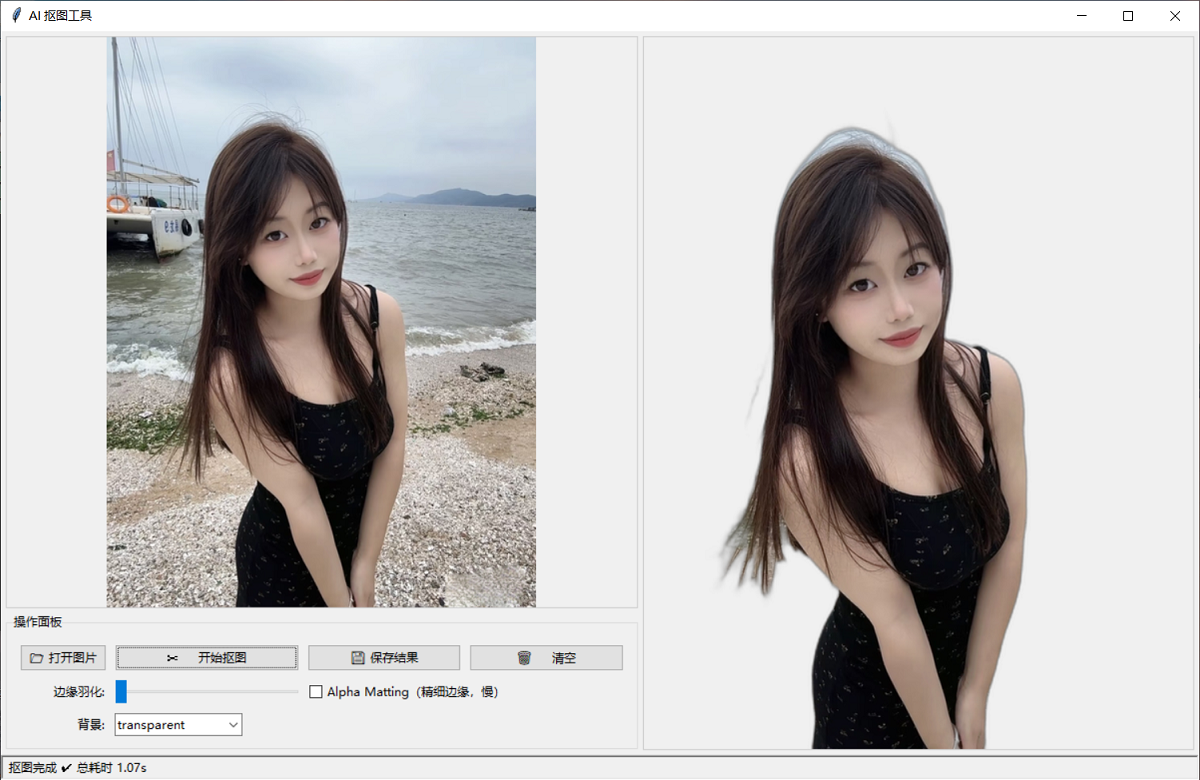
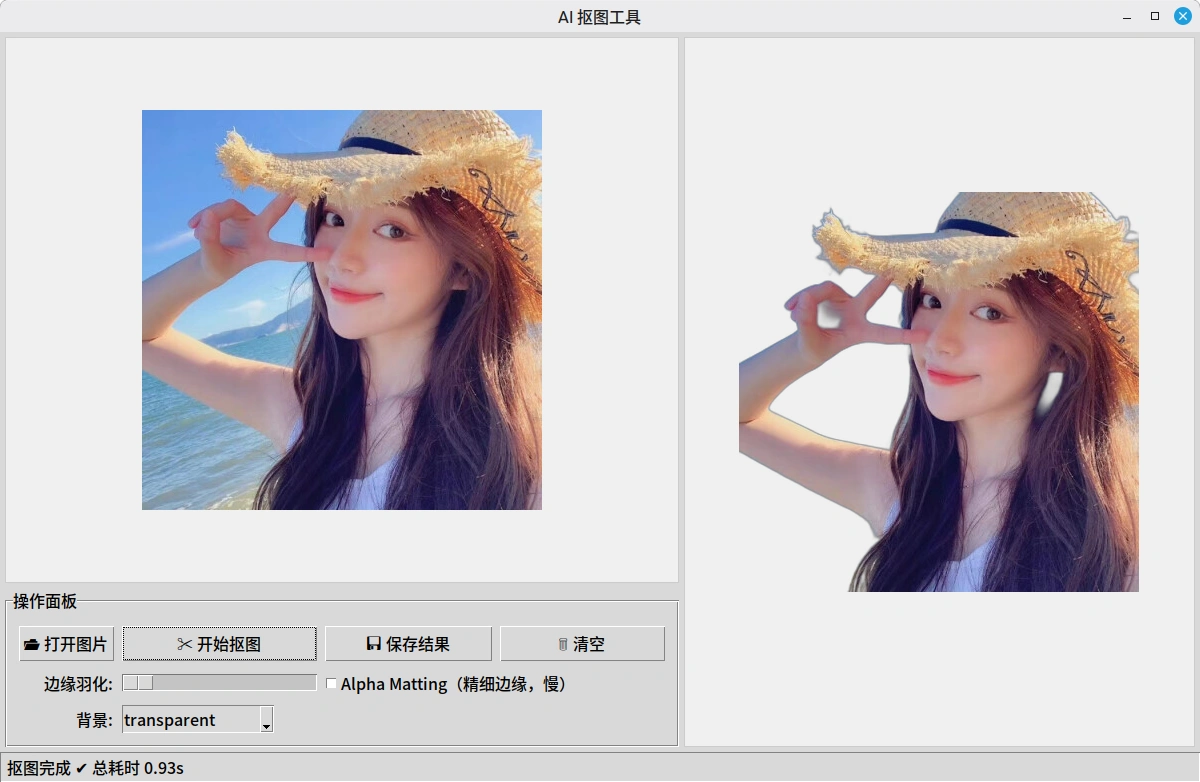
def _do_remove_bg(self):
try:
t_start = time.time()
self.set_status("正在抠图中,请稍候...")
img = self.original_image.copy()
orig_size = img.size
print(f"[调试] 原图尺寸: {orig_size}")
if max(img.size) > MAX_SIDE:
ratio = MAX_SIDE / max(img.size)
img = img.resize(
(int(img.width * ratio), int(img.height * ratio)),
Image.LANCZOS
)
print(f"[调试] 缩放至: {img.size}")
feather = self.feather_var.get()
if feather > 0:
alpha = img.split()[-1]
alpha = alpha.filter(ImageFilter.GaussianBlur(feather))
img = img.copy()
img.putalpha(alpha)
session = self.get_session()
kwargs = {"alpha_matting": self.alpha_matting_var.get()}
if kwargs["alpha_matting"]:
kwargs.update({
"alpha_matting_foreground_threshold": 240,
"alpha_matting_background_threshold": 10,
"alpha_matting_erode_size": 10,
})
t1 = time.time()
result = remove(img, session=session, **kwargs)
print(f"[调试] rembg 推理耗时: {time.time() - t1:.2f}s "
f"(alpha_matting={kwargs['alpha_matting']})")
if result.size != orig_size:
result = result.resize(orig_size, Image.LANCZOS)
self.result_image = result
self.result_image_with_bg = None
self.apply_background()
elapsed = time.time() - t_start
self.set_status(f"抠图完成 ✔ 总耗时 {elapsed:.2f}s")
except Exception as e:
import traceback
traceback.print_exc()
self.set_status(f"抠图失败:{e}")
messagebox.showerror("抠图失败", str(e))
def apply_background(self):
if self.result_image is None:
return
mode = self.bg_mode.get()
if mode == "transparent":
self.result_image_with_bg = None
self.redraw("right")
self.set_status("显示:透明背景")
return
color_map = {
"white": (255, 255, 255, 255),
"black": (0, 0, 0, 255),
"green": (0, 177, 64, 255),
"blue": (0, 71, 187, 255),
}
bg = Image.new("RGBA", self.result_image.size, color_map[mode])
bg.alpha_composite(self.result_image)
self.result_image_with_bg = bg
self.redraw("right")
self.set_status(f"显示:{mode} 背景")
def save_result(self):
if self.result_image is None:
messagebox.showwarning("提示", "还没有抠图结果")
self.set_status("无可保存内容")
return
path = filedialog.asksaveasfilename(
title="保存抠图结果",
defaultextension=".png",
filetypes=[("PNG(含透明)", "*.png"), ("JPEG", "*.jpg")]
)
if not path:
return
try:
if self.bg_mode.get() != "transparent" and self.result_image_with_bg is not None:
img = self.result_image_with_bg
else:
img = self.result_image
if path.lower().endswith((".jpg", ".jpeg")):
img = img.convert("RGB")
img.save(path)
self.set_status(f"已保存:{path}")
except Exception as e:
messagebox.showerror("保存失败", str(e))
self.set_status("保存失败")
def clear_all(self):
self.original_image = None
self.result_image = None
self.result_image_with_bg = None
self.original_photo = None
self.result_photo = None
self.left_canvas.delete("all")
self.right_canvas.delete("all")
self.set_status("已清空")
def redraw(self, which):
if which == "left":
canvas = self.left_canvas
img = self.original_image
photo_attr = "original_photo"
else:
canvas = self.right_canvas
if self.bg_mode.get() != "transparent" and self.result_image_with_bg is not None:
img = self.result_image_with_bg
else:
img = self.result_image
photo_attr = "result_photo"
canvas.delete("all")
if img is None:
canvas.create_text(canvas.winfo_width() // 2, canvas.winfo_height() // 2,
text="暂无图片", fill="#888", font=("微软雅黑", 14))
return
cw = max(canvas.winfo_width(), 10)
ch = max(canvas.winfo_height(), 10)
iw, ih = img.size
scale = min(cw / iw, ch / ih, 1.0)
new_size = (max(int(iw * scale), 1), max(int(ih * scale), 1))
resized = img.resize(new_size, Image.LANCZOS)
photo = ImageTk.PhotoImage(resized)
setattr(self, photo_attr, photo)
canvas.create_image(cw // 2, ch // 2, image=photo, anchor=tk.CENTER)
if __name__ == "__main__":
root = tk.Tk()
app = BackgroundRemoverApp(root)
root.mainloop()
|